
Making Tap Out stricter for iPhone
Prevent switching off screentime access
You can set up a Shortcuts automation to prevent opening settings and switching off your screentime.
How to set up the shortcut to disable opening settings when you are Tapped Out
Open the Shortcuts app on your iPhone
Go to the Automation tab and press + in the upper right corner
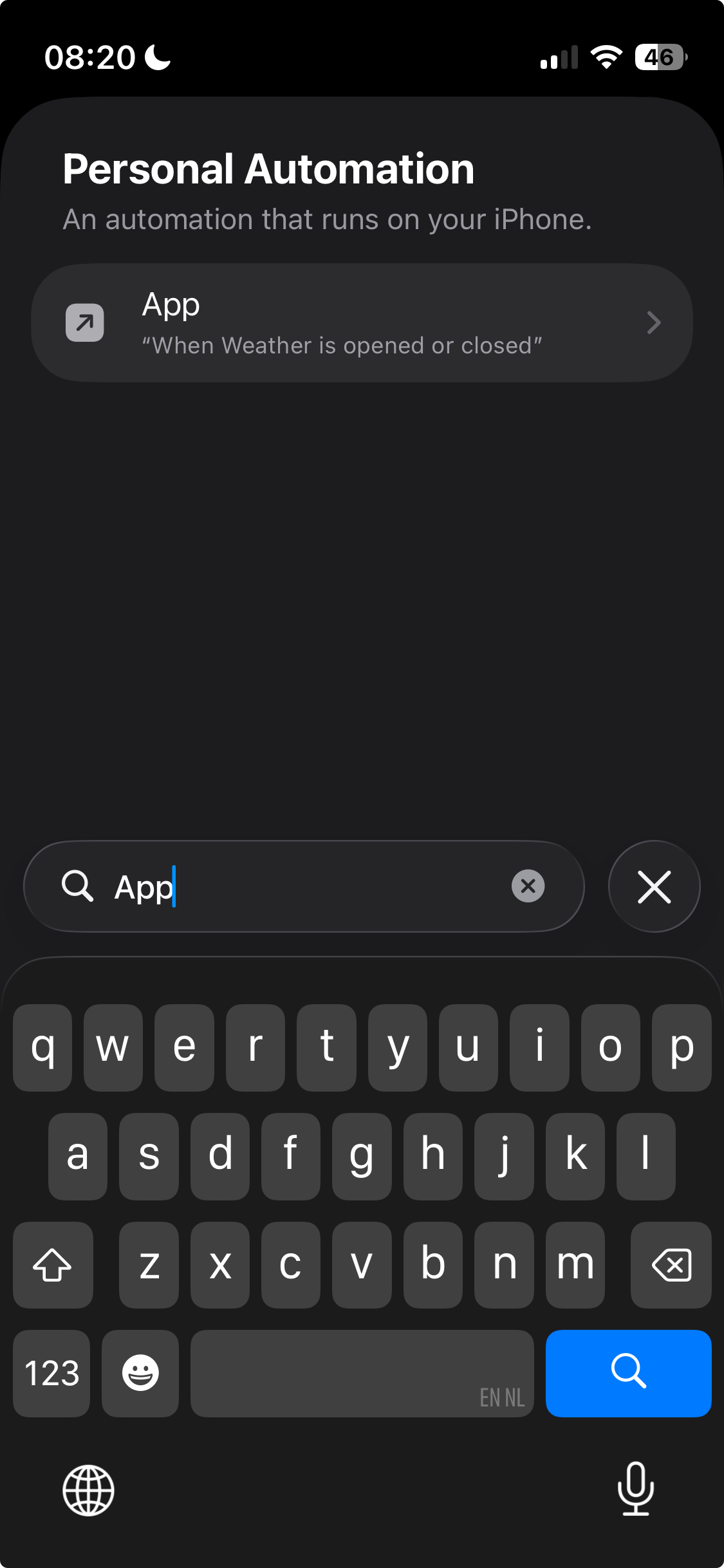
Search for and press 'App'
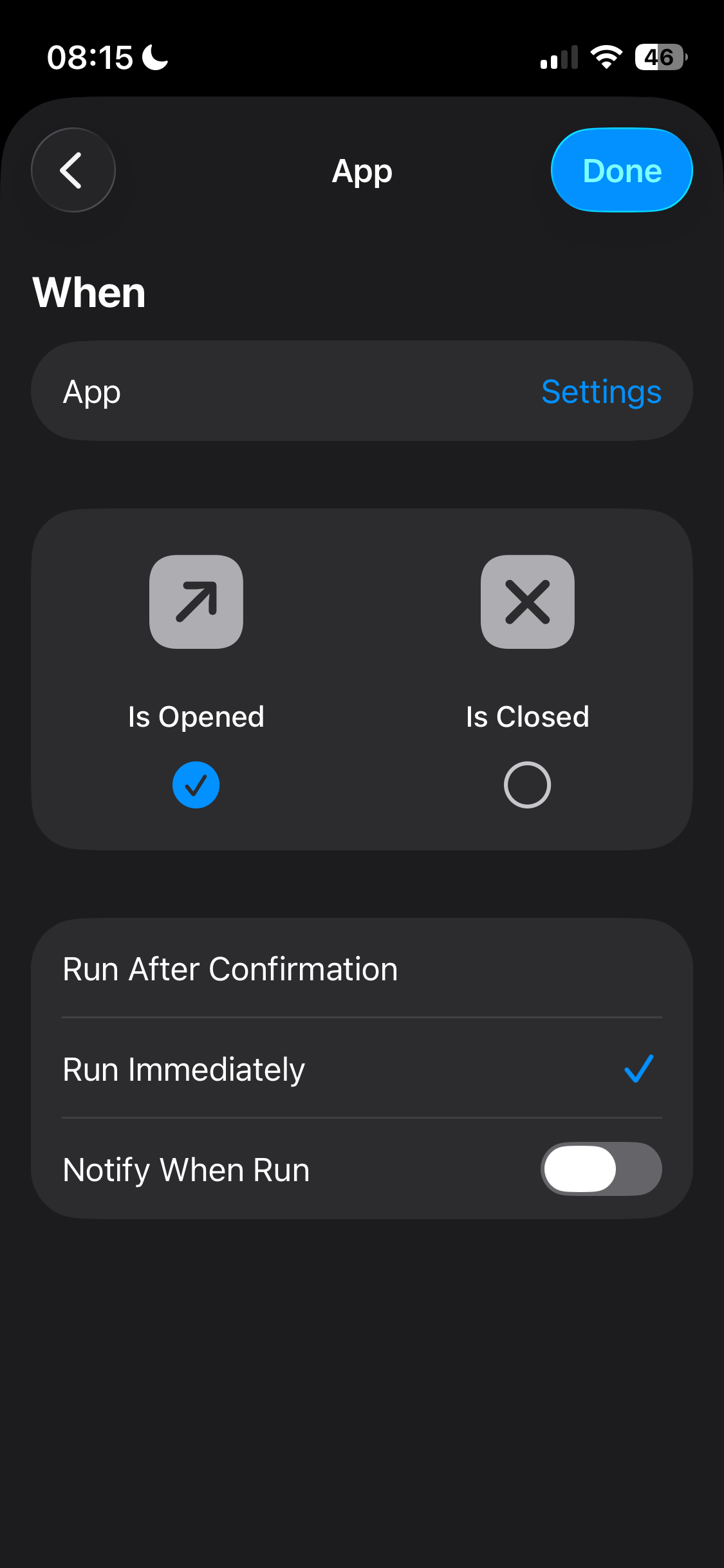
Choose 'Settings' as app, and select 'Is Opened', and 'Run Immediately'. Press Next.
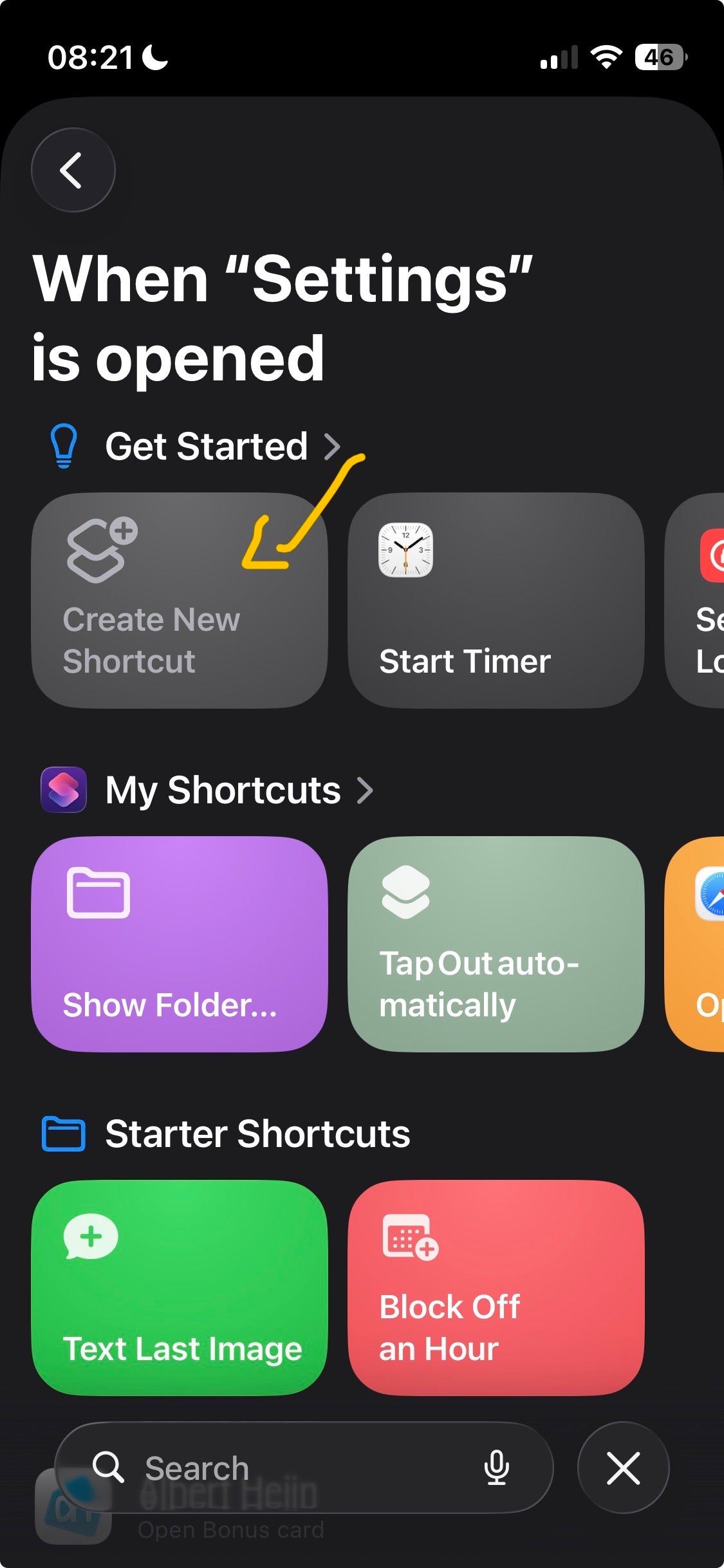
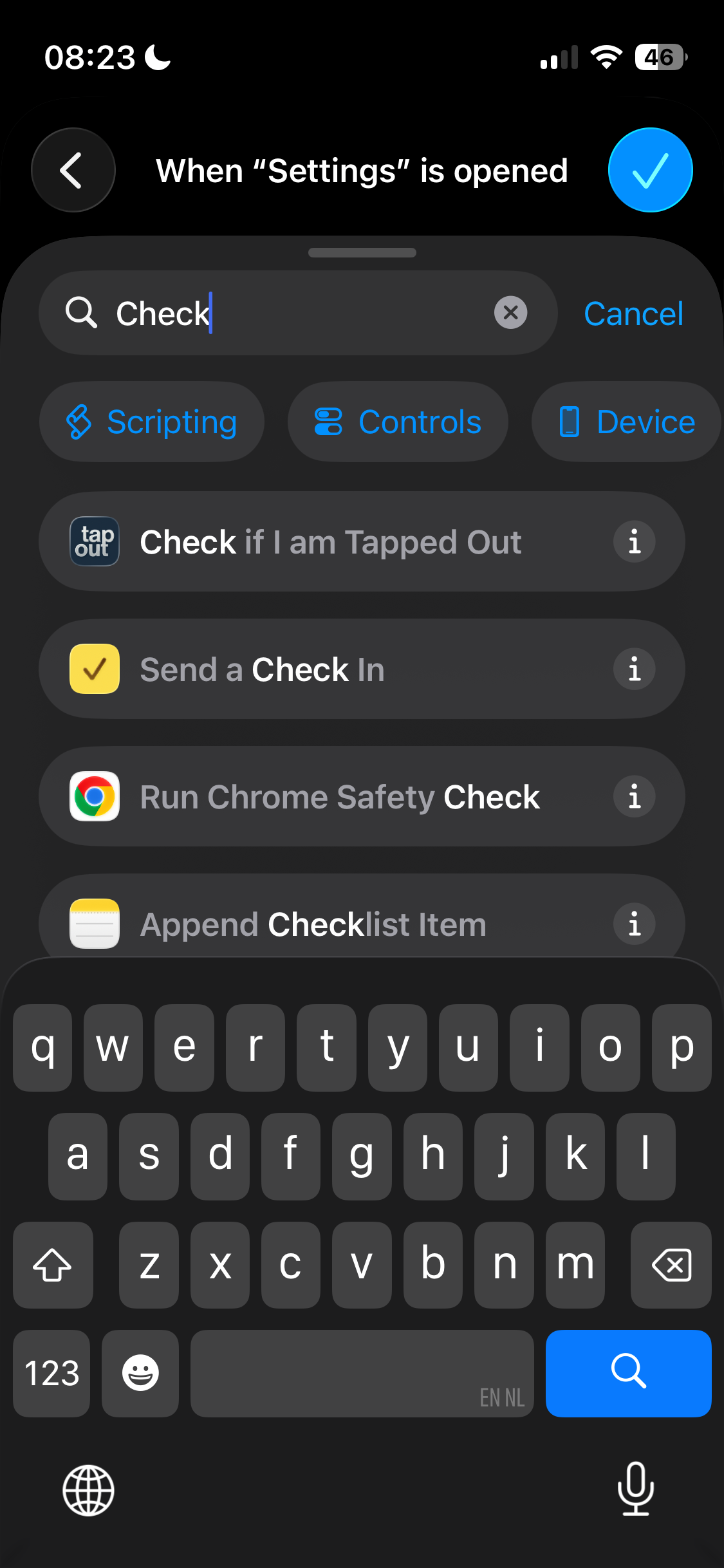
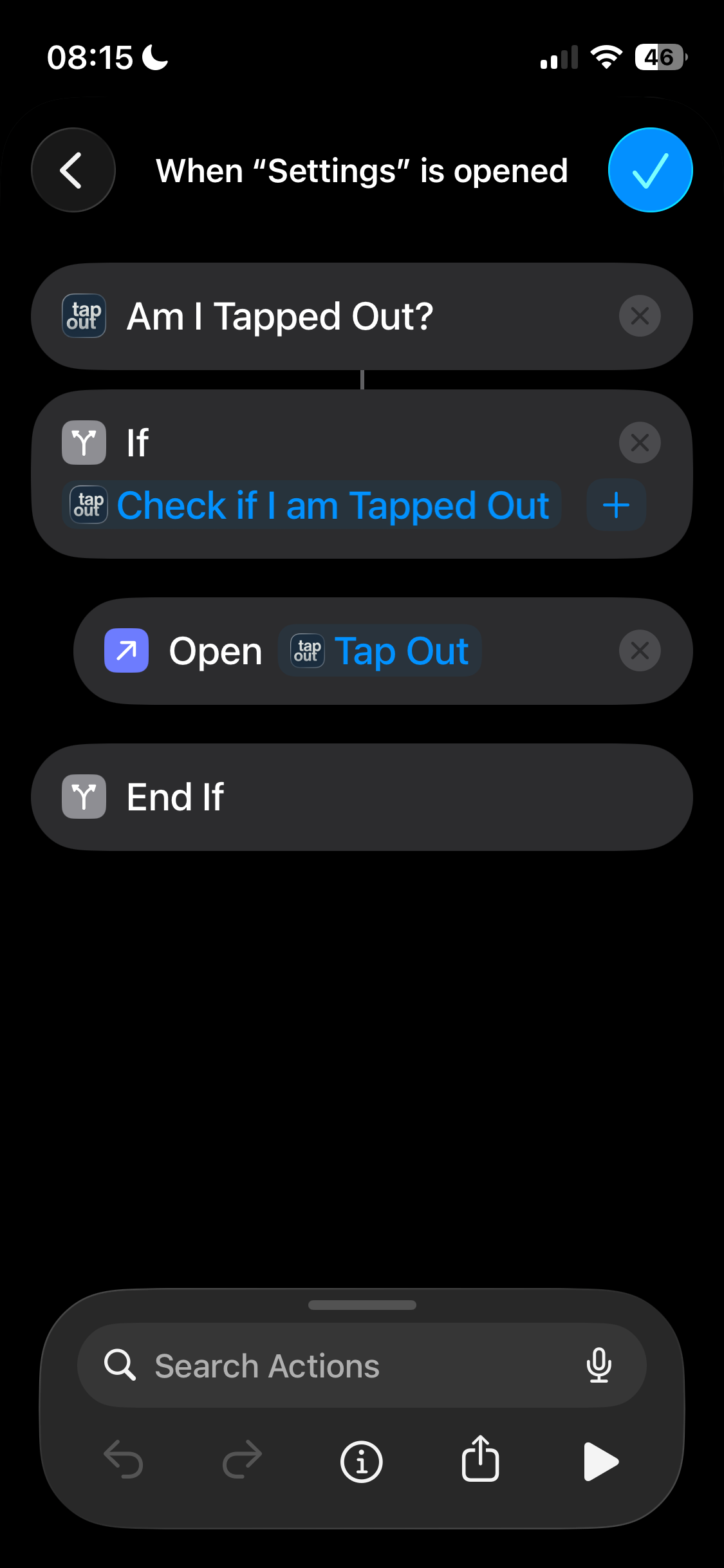
Press Create New Shortcut, and search for and select 'Check if I am Tapped Out'. (Your screen now says: 'When "Settings" is opened, 'Am I tapped Out?')
Search for, and add the Action 'If'. Delete the 'Otherwise' that appears.
Search for and press the Action 'Open app'. Press it to select the app that should open when you open settings. Search for and choose Tap Out.
Drag the block with 'End if' to the bottom of the four blocks. Press done.
Test if the automation works by making sure you are tapped out and opening the Settings app. It should automatically switch back to Tap Out withing 1 second.